Test your EDGAR codes
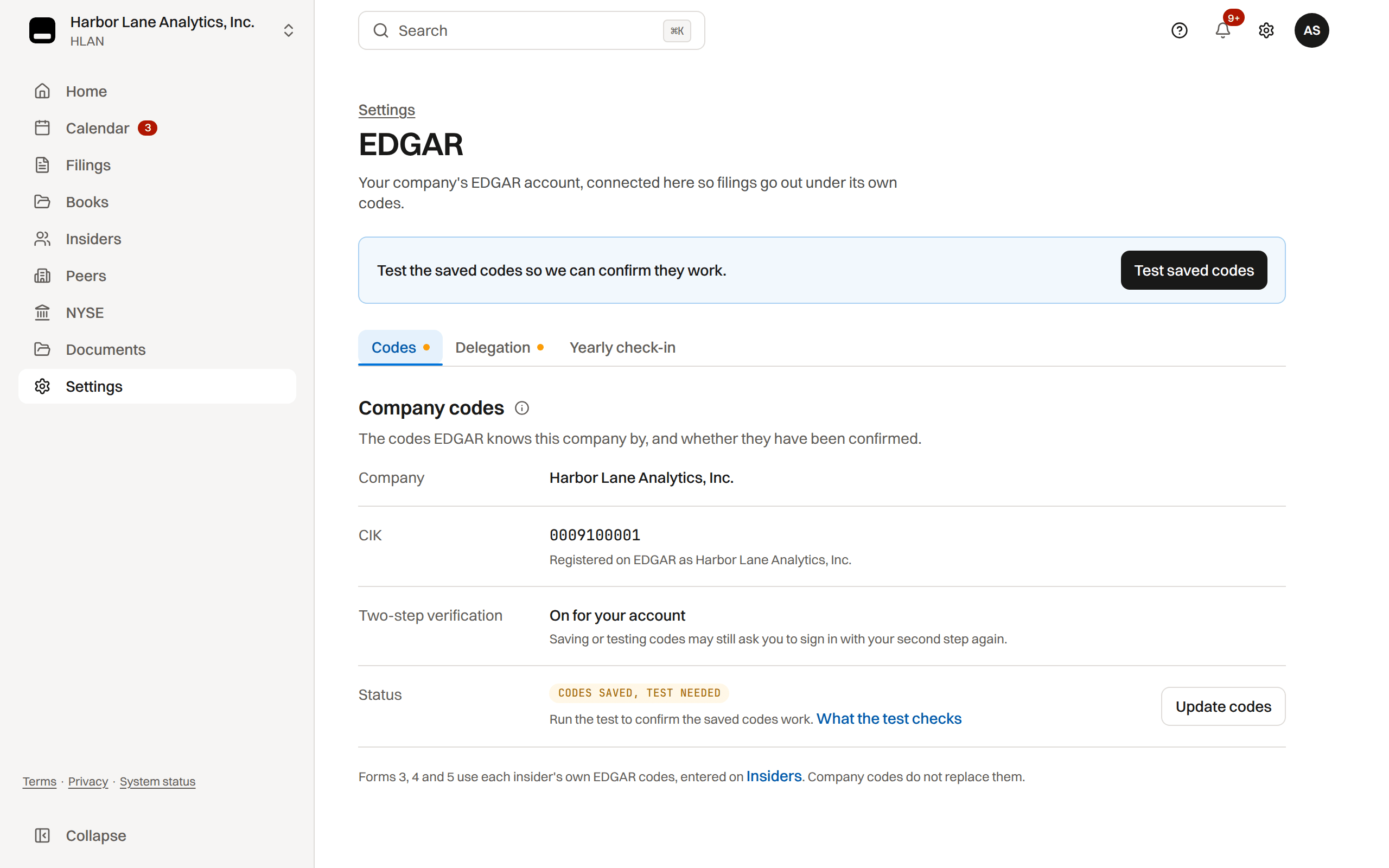
Send an EDGAR test submission with the saved company codes before your first real filing.
What the test proves
The test checks that the saved CCC is the one EDGAR has on file for the company's CIK. It shows the code is current; it does not by itself show who controls the EDGAR account.
The stronger proof is the company's EDGAR Next delegation to TakePublic: only the company's own account administrators can grant it. Once the delegation is Active, the company reads Verified on TakePublic, and TakePublic reads the CCC from EDGAR and tests it, so nobody needs to type it. Typing the code is the fallback.
How the test works
TakePublic sends a small test-mode submission with the saved codes and reads EDGAR's final answer on it. Nothing is filed and nothing is disseminated. EDGAR takes a wrong code at first and refuses it a moment later, so the page reads Checking with EDGAR until that answer arrives.
EDGAR tests a code for TakePublic only after the company's delegation is Active. Until then the page reads Waiting for your delegation and the test runs by itself once the delegation is Active. When EDGAR is closed, the test waits for it to open. When EDGAR does not answer, we try again within one business day. Only a refusal from EDGAR asks you to enter the code again.
- Open Settings › EDGAR, the Codes tab. Save codes runs the test; Test saved codes runs it again on saved codes that have not passed.
After the test passes
A passed test records the time it succeeded. It does not file a report and does not mean every form is ready to submit: each filing still has its own review, sign-off and submission checks. Insider Forms 3, 4 and 5 use each insider's own codes and are not covered by this test.
Was this helpful?
Thanks for the feedback.What happens when EDGAR doesn't accept a filing, and what to do for each cause.
Still need help?
Sign in and open the Help widget in the lower right corner to message the team. Replies land in the app and by email.
TakePublic is a technology platform, not a law firm, broker-dealer, or auditor. Forms 3, 4 and 5 prepared in TakePublic file only after the reviewer the company designates, such as its securities counsel, signs off; any other filing prepared in TakePublic files only after a licensed securities attorney signs off.