Manage your subscription
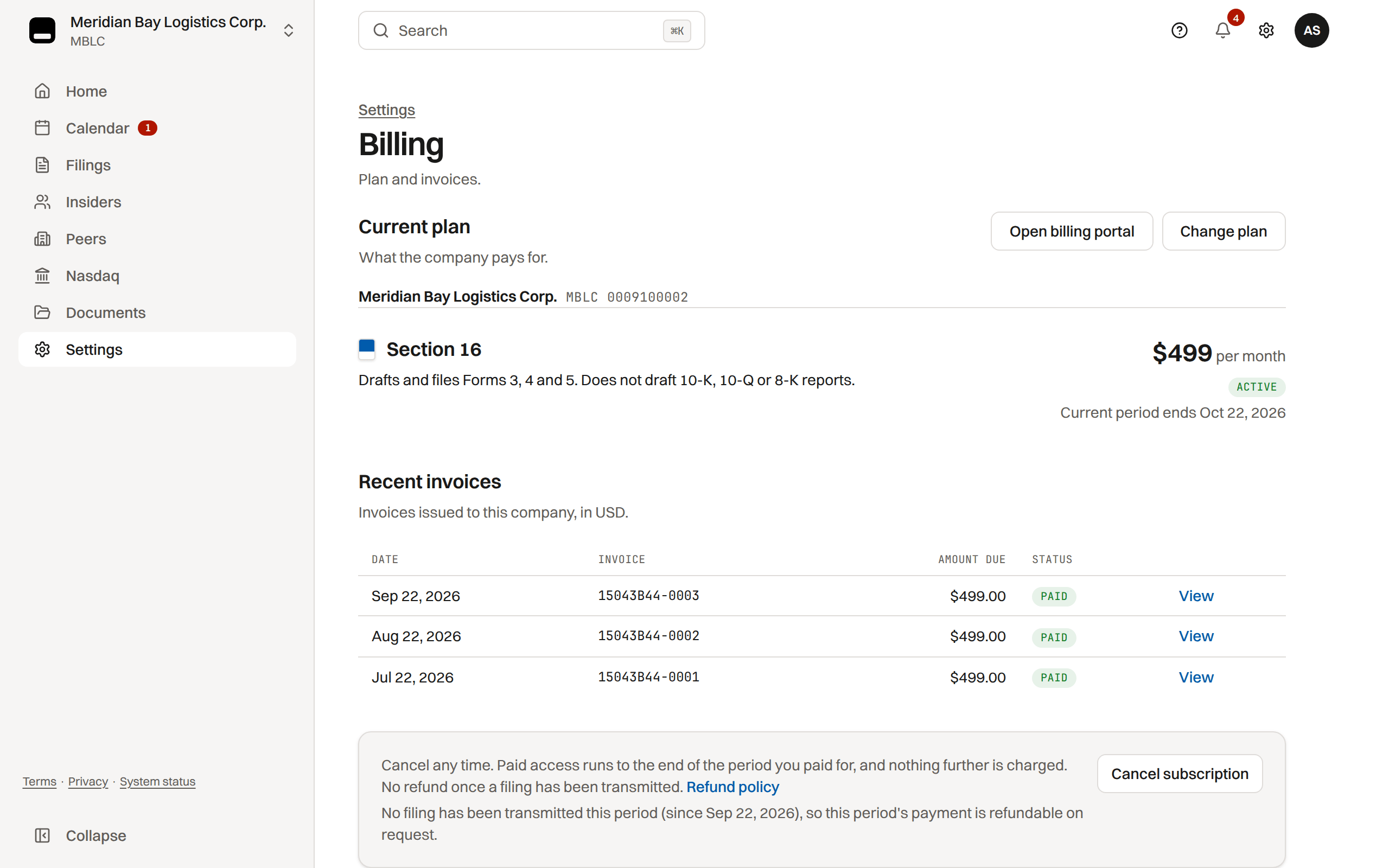
Change plans, schedule or remove cancellation, and open the billing portal from Settings › Billing.
Where: Settings › Billing
Who manages billing
Every company admin manages the plan from Settings › Billing: change plans, cancel or resume, and update payment in the billing portal.
Billing belongs to the company, not to whoever checked out, so the admin who bought the plan can leave like any other while another admin stays.
Change plan
Change plan compares the plans at this company's pricing. Before you confirm, the review lists what the new plan adds (or what a move down gives up) and what is charged or credited today, from Stripe's own preview of the invoice.
- Every move prorates the rest of the current period at once: moving up charges the difference today, moving down credits the unused time to future invoices. The current period keeps its end date, and the new rate is billed from then.
- When Core opens, its one-time onboarding fee (matching the company's Core pricing) applies each time a company moves onto Core, on the same invoice. It is added only when the company has a billing customer on file.
- A plan cannot change while a payment is overdue or a cancellation is scheduled; fix the payment or resume first.
- On an annual plan a change stays annual; a move to monthly takes effect when the paid year ends.
Cancel or resume
Cancel subscription ends the plan when the paid period closes; Resume subscription undoes it any time before then. After the plan ends, records stay readable and exportable for everyone with a seat, deadline reminder emails and texts stop, and nothing can be filed or changed until you choose a plan again.
SEC reporting obligations remain the company's responsibility.
More detail
There is no Close company button. A company ending for good (delisted, acquired, dissolved) uses Closing the company for good? Contact us in the cancel sheet: TakePublic closes the workspace on a company admin's request, every record stays readable, and the closure is written to your audit trail.
Canceling does not refund the unused days. The one refund that ends a plan early is a full refund of the current period's payment, issued before any filing was transmitted in that period: the plan ends the day the refund is issued and every company admin is emailed.
Payment method and portal
Open billing portal opens Stripe's portal to update the card or bank account and read receipts. It stays available after a plan ends.
Starting or restarting a plan
A company with no plan, or one whose plan has ended, uses Choose a plan. If the app reads "Could not verify your subscription", Resume checkout opens the plan step, which shows whether a checkout, a payment or an active plan is on record.
A company linked by a platform admin without a Stripe customer changes its plan or payment through the help widget.
Was this helpful?
Thanks for the feedback.Past-due subscriptions keep paid-plan access while you fix the card; unpaid or ended plans do not.
Still need help?
Sign in and open the Help widget in the lower right corner to message the team. Replies land in the app and by email.
TakePublic is a technology platform, not a law firm, broker-dealer, or auditor. Forms 3, 4 and 5 prepared in TakePublic file only after the reviewer the company designates, such as its securities counsel, signs off; any other filing prepared in TakePublic files only after a licensed securities attorney signs off.