Documents and evidence
The Documents page, EDGAR sync, and the post-sign-off evidence binder.
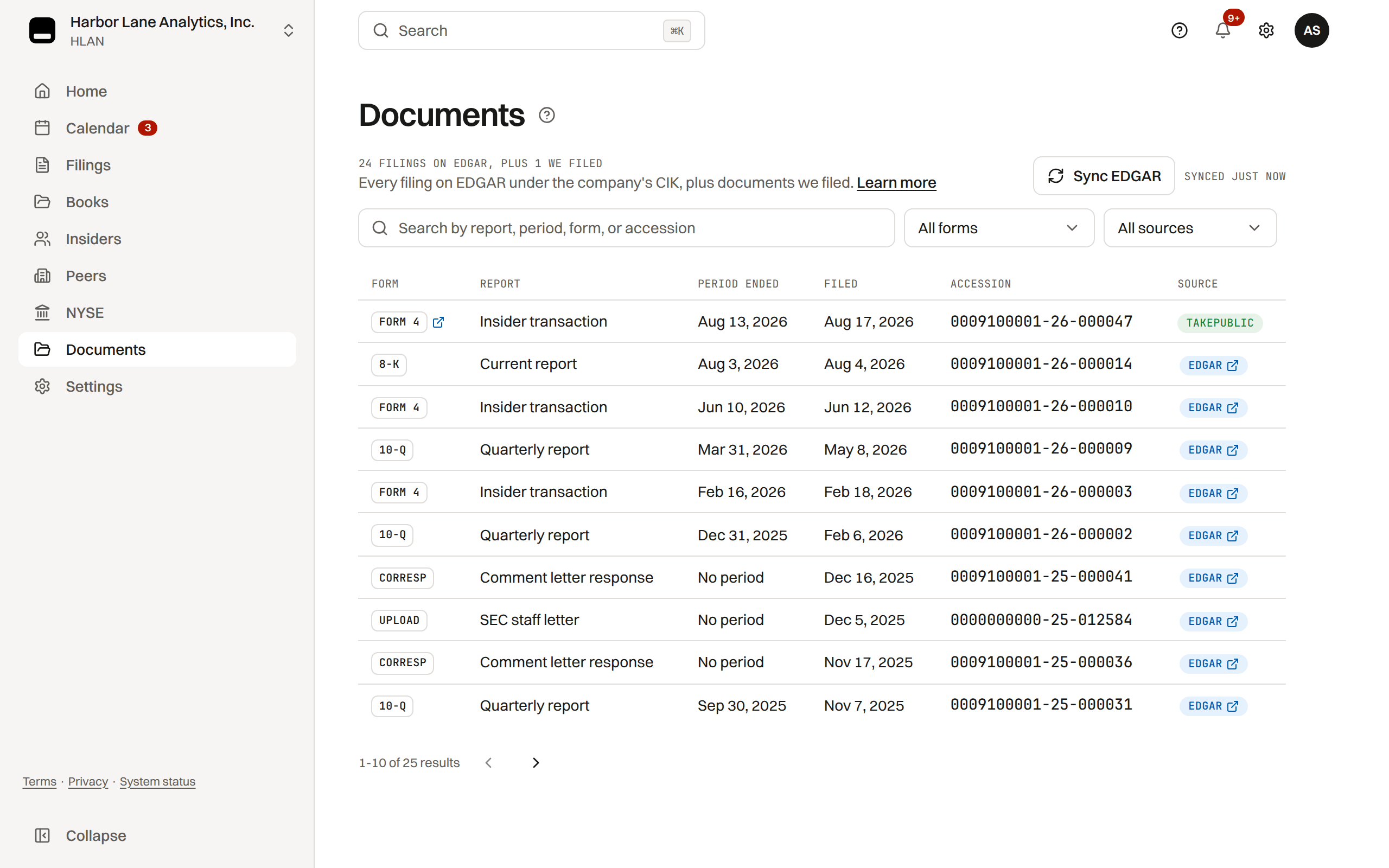
Documents page
The Documents page keeps filed submissions as retained evidence, hash-bound and stored in versioned storage.
- Each row shows the form, its period end, the filed date, the EDGAR accession number, and the source: EDGAR for filings indexed under your CIK, TakePublic for filings TakePublic transmitted.
- A row opens the filing's sheet: EDGAR's facts (accession, period, an 8-K's items, a Form 3, 4 or 5's reporting persons and lots, a 10-K's cover facts), each document and exhibit to view on EDGAR or download, the filing workspace and calendar deadline it satisfied when it was filed through TakePublic, and the amendment chain for the same period.
- The EDGAR icon in the Form column opens the filing on the SEC filing index directly.
- Search by form name, title, or accession, or filter by form type.
EDGAR sync
TakePublic syncs filed submissions from SEC EDGAR daily and shows when the index last synced. A company admin can select Sync EDGAR to refresh the index now.
Evidence binder
Once counsel has signed off, a filing's Evidence binder opens a self-contained HTML record you can save or print.
- Filing metadata.
- The counsel sign-off record.
- On a Form 3, 4 or 5, the reporting person's signature: who signed and in what capacity, when, and the document hash it covers.
- The full hash-chained audit trail for the filing.
Was this helpful?
Thanks for the feedback.A record of every material action that cannot be rewritten.
Still need help?
Sign in and open the Help widget in the lower right corner to message the team. Replies land in the app and by email.
TakePublic is a technology platform, not a law firm, broker-dealer, or auditor. Forms 3, 4 and 5 prepared in TakePublic file only after the reviewer the company designates, such as its securities counsel, signs off; any other filing prepared in TakePublic files only after a licensed securities attorney signs off.