Changes requested and review diffs
The changes requested loop, the reason on the filing, and review diffs in the filing workspace.
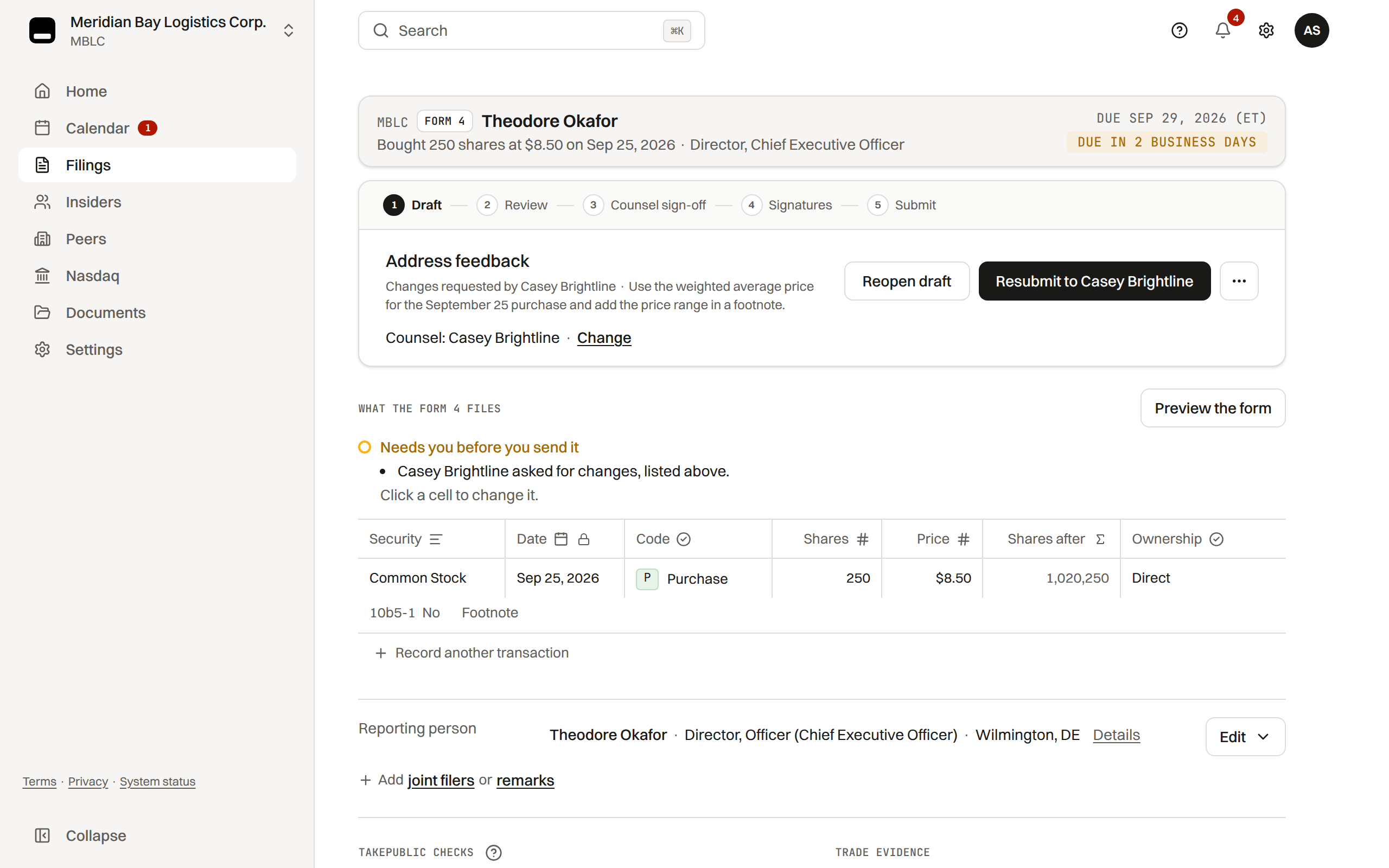
Changes requested
Counsel moves a filing to Changes requested with a required reason, which becomes the filing's status line: "Changes requested by Priya Raman · Item 9A should state the conclusion on disclosure controls."
On a Form 3, 4 or 5 counsel can also tick the rows and fields that are wrong, and the form's tables flag the same cells.
The line reads on the workspace step card and the Filings list row until the report goes back into review, and the same fact is in the audit trail.
Discussion happens outside TakePublic; the platform records the decision. There is no comment thread, no mention and no reply-by-email on a filing.
Once the changes are made, the filing goes back to counsel review, and the counsel gate applies on every round.
Review diff
When content changes between review rounds, the workspace shows a diff so reviewers can see what changed since the last version. Sign-off always binds to the current document hash.
Was this helpful?
Thanks for the feedback.Who gets notified on each handoff, what is sent to you by name, and your own copy.
Still need help?
Sign in and open the Help widget in the lower right corner to message the team. Replies land in the app and by email.
TakePublic is a technology platform, not a law firm, broker-dealer, or auditor. Forms 3, 4 and 5 prepared in TakePublic file only after the reviewer the company designates, such as its securities counsel, signs off; any other filing prepared in TakePublic files only after a licensed securities attorney signs off.