Practice workspace
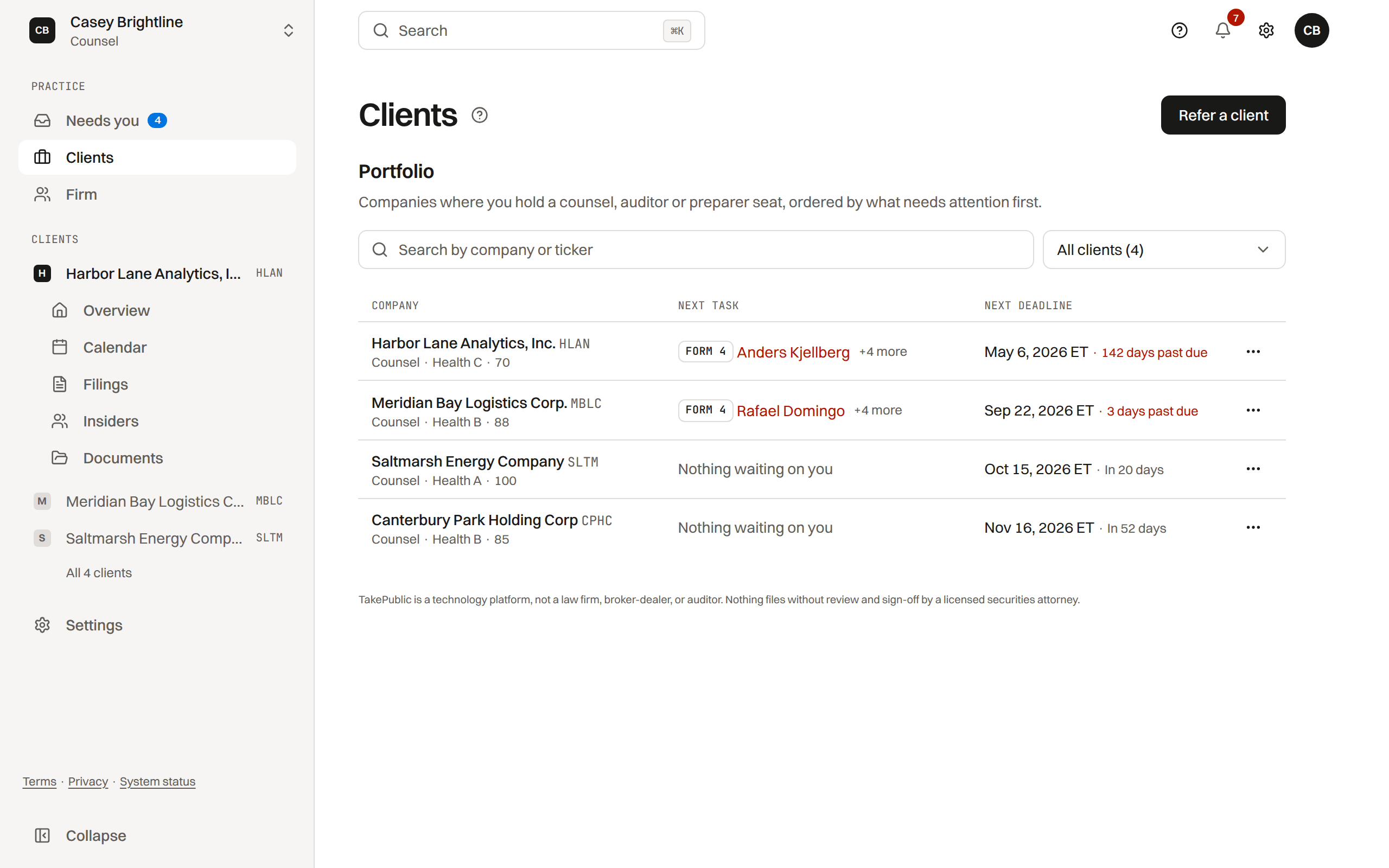
Your cross-client portfolio on Practice, Clients: health, deadlines, the next task, and quick access to each company.
Who sees Practice
Practice is for professionals serving several companies: counsel, preparers and platform admins. Company seats work inside one company and do not use it.
Its sidebar holds Needs you, the reports waiting on you across clients; Clients, the portfolio below, with Invite a client for a company you advise; and Firm, your roster and engagements.
What the portfolio table shows
Each row is a client where you hold a counsel or preparer seat, directly or through your firm.
- Health: the same 0 to 100 score and A through F grade as the company dashboard.
- Next deadline: the nearest unsatisfied obligation, with days remaining or past due labeled in ET.
- Next task: the report waiting on you, with its due date. A report that is past your step (signed off) is one line instead, "with the company · your step is done", one still on its way to you reads "reaches you next", and one at your step that a colleague signs off or clears reads "your firm is reviewing", so a deadline is never shown as yours after you have done your part. A deadline the client's plan does not draft (a 10-Q on Section 16, any company-only checkpoint) stays in the Next deadline column and is never your task.
- Seat: your role on that client, counsel or preparer.
- Rows sort by what needs attention first: past due, awaiting your review, then due within 7 days, and by due date within each.
Open a client workspace
Selecting a client row switches your session to that company and your role there, and lands on the client's Overview: what waits on you there and the reports in progress.
Was this helpful?
Thanks for the feedback.Create your law or preparer firm from your work email, invite colleagues, and share client engagements. Audit firms join with Core.
Still need help?
Sign in and open the Help widget in the lower right corner to message the team. Replies land in the app and by email.
TakePublic is a technology platform, not a law firm, broker-dealer, or auditor. Forms 3, 4 and 5 prepared in TakePublic file only after the reviewer the company designates, such as its securities counsel, signs off; any other filing prepared in TakePublic files only after a licensed securities attorney signs off.