Invite a client
Send a company you advise a short note and a sign-up link, and land as their counsel when they onboard.
Invite a client
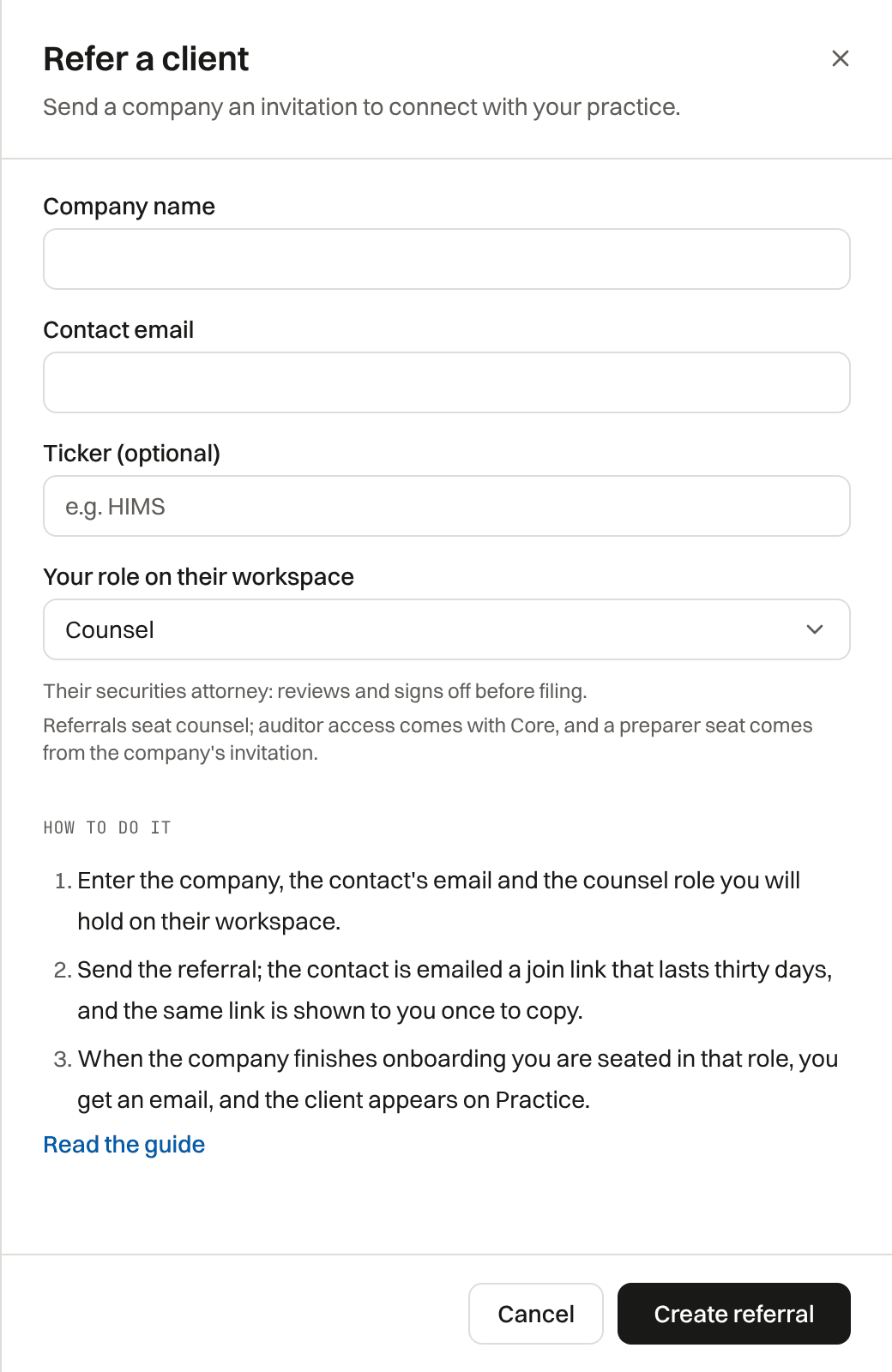
Invite a company you advise that is not on TakePublic yet: it gets a short email from you, by name, with a sign-up link that works for thirty days.
You receive nothing for an invitation: no fee, discount or credit. The company pays for its own plan; your seat is free. Preparers do not invite clients; a company invites its preparer.
- Select Invite a client on Clients and enter their name, email and company (and ticker, if any), with an optional short note; links and email addresses are left out of it.
- Select Send invitation; the sign-up link shows once, so you can copy it.
- Counsel needs two-step verification and a bar number and state on file first, the same as for signing off.
- A company already on TakePublic adds you from its own Settings instead.
- One open invitation per address. An address invited by anyone in the last thirty days, or that unsubscribed, gets no email; the sheet reads Invitation ready and you share the link yourself.
- Every invitation email carries TakePublic's postal address and an unsubscribe link, and an unsubscribe is permanent.
- Invitations on Clients lists yours and whether each company joined.
What the company sees
The link opens a page naming you (and your firm, if you belong to one) and the seat you will hold, then takes them into sign-up with the invitation attached.
When they complete onboarding
You are seated on the new workspace; you get an email when the company finishes, and the client appears on Clients. The company is verified the way every company is: by an Active delegation to TakePublic, or by one of the Ways to verify.
- With a firm: an active firm engagement is created, and you are its lead.
- Solo: you receive a direct seat on the company.
If you invite a company as counsel, your attorney-client duties run to that client under your own engagement terms, independent of the software. TakePublic is a technology platform, not a law firm.
Three kinds of invitation
A client invitation brings a new company onto TakePublic. A company's team invitation adds a person to an existing workspace in the role its admin chose. A firm invitation adds a colleague to your firm, not to a client company.
Was this helpful?
Thanks for the feedback.The one list every counsel and preparer lands on: filings waiting on you across clients, and the ones your firm is reviewing.
Still need help?
Sign in and open the Help widget in the lower right corner to message the team. Replies land in the app and by email.
TakePublic is a technology platform, not a law firm, broker-dealer, or auditor. Forms 3, 4 and 5 prepared in TakePublic file only after the reviewer the company designates, such as its securities counsel, signs off; any other filing prepared in TakePublic files only after a licensed securities attorney signs off.