Invite your team
Add a colleague to your workspace with a single-use email invite that lasts seven days.
Where: Settings › People › Team
What to do
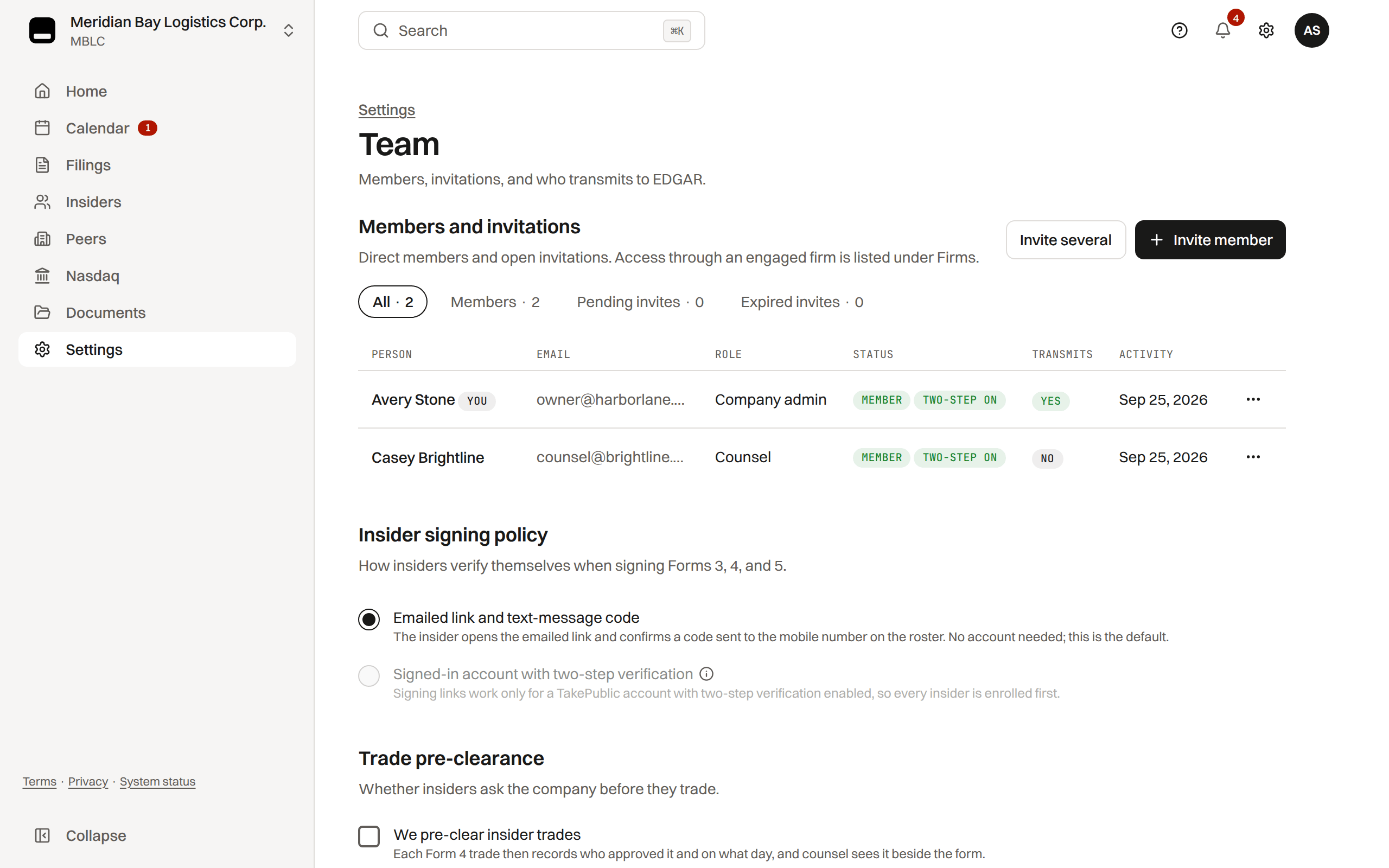
Invite a colleague from Settings › People › Team with a single-use email link that lasts seven days.
- Select Invite member, enter the person's email and choose their role; they see the role before accepting.
- Select Send invitation. A lost or expired link is replaced from the row's menu with Resend invite, or Send a new link once expired.
Your securities counsel can also be invited from Firms, beside Team under People, where outside providers are kept as records.
Which role
Invitations offer four roles until Core launches. Viewer, director and auditor seats come with Core; a seat someone already holds keeps working. A director signs their own Forms 3, 4 and 5 from a signing link and needs no seat.
- Company user: drafts and runs internal review. Works on narrows the seat to Section 16 or Reports (leave both on for full access), and Can transmit to EDGAR says whether this seat sends a signed-off filing.
- Company admin: everything a user does, plus send to review, billing, the company profile, insiders and these settings; always every area, always transmits.
- Preparer: an outside reporting consultant who drafts and runs internal review for you; never certifies, hands off to counsel, signs off or submits.
- Counsel: reviews, requests changes and signs off. Only counsel can sign off.
Changing or removing a member
Admins change roles or remove members on Team; removing a member also removes the deadline reminders they set for this company, and a workspace always keeps one company admin.
Which roles get each company alert, and how, is set under Settings › Notifications › Company (deadline mail always reaches company admins and users). Insider signing, trade pre-clearance, blackout windows and insider notices are set under Settings › Insider program.
Was this helpful?
Thanks for the feedback.What each role can do in the filing workspace.
Still need help?
Sign in and open the Help widget in the lower right corner to message the team. Replies land in the app and by email.
TakePublic is a technology platform, not a law firm, broker-dealer, or auditor. Forms 3, 4 and 5 prepared in TakePublic file only after the reviewer the company designates, such as its securities counsel, signs off; any other filing prepared in TakePublic files only after a licensed securities attorney signs off.