Set up your company
Look up your CIK, confirm fiscal year end, and set filer status for deadline math.
Find your company on EDGAR
Search by ticker or CIK during onboarding; TakePublic prefills your profile from SEC records.
- Pulls your legal name, CIK, exchange, principal executive office address, and recent filings.
- Prefills fiscal year end, filer status, market tier, and the public float, each shown with its source.
- Reads the eight cover checkboxes (shell company, emerging growth company, smaller reporting company, voluntary filer, well-known seasoned issuer, current reporting status, interactive data current, EGC transition opt-out) from your latest filed cover.
- Indexes your real filing history, so satisfied deadlines show as satisfied and your health score is accurate from day one.
More detail
EDGAR's conformed name is written in title case ("York Water Co.", "Bank of the James Financial Group Inc.") and the filed name is kept in the record; the address comes from your latest filed cover page in your own casing.
When EDGAR's company profile names no filer category, the status is read from the cover of your latest filed 10-K and tagged "From your FY2025 10-K cover, confirm"; the public float is read from your XBRL company facts or, when they carry none, from the same cover.
When no cover can be read, smaller reporting company and emerging growth company come from EDGAR's company record, each with its source pill ("EDGAR · company record"). A flag is Yes when EDGAR names it and stays unset when it does not; nothing is written No by silence.
Cover facts EDGAR does not carry
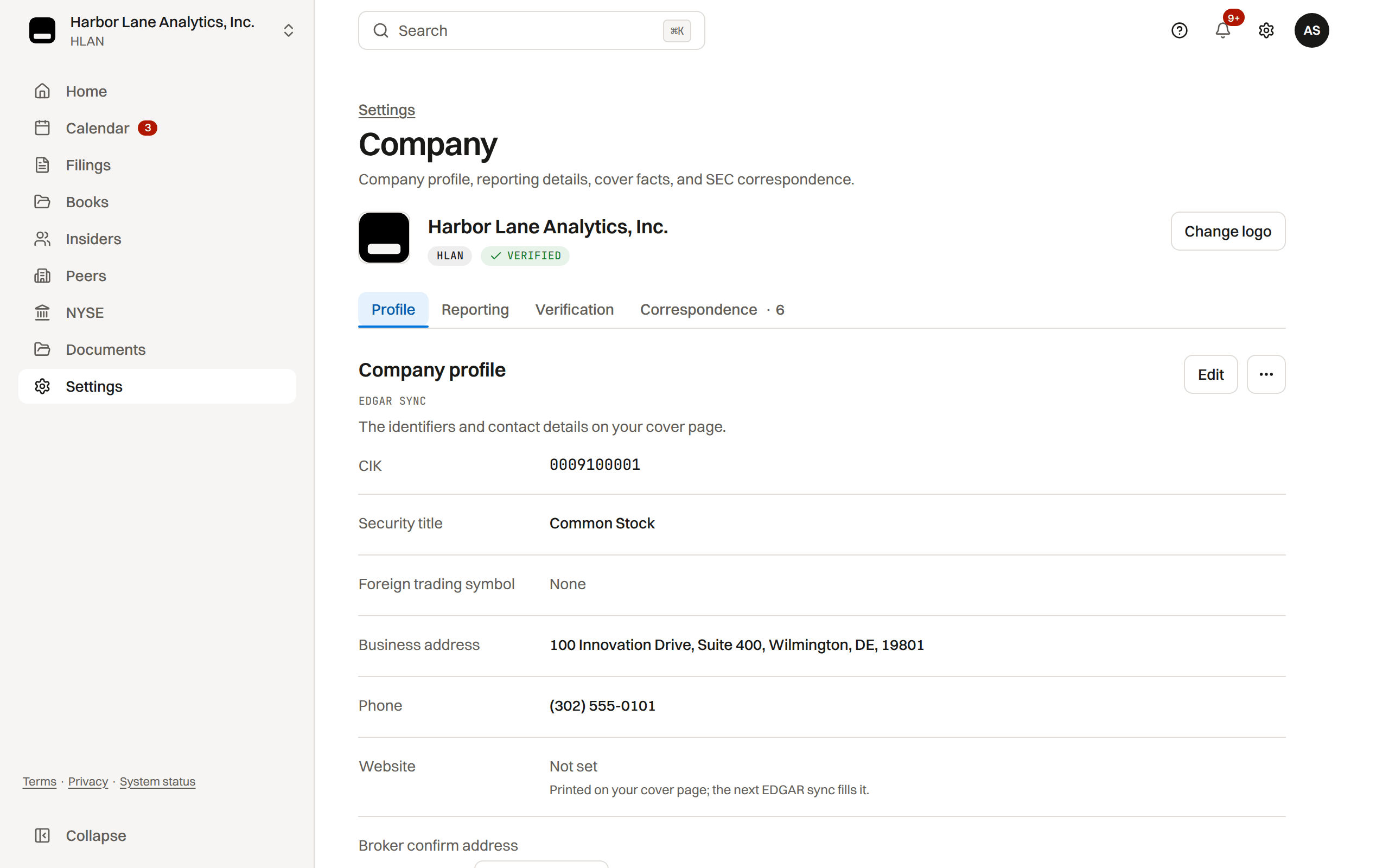
Every cover fact on Settings › Company reads with its source: Synced from EDGAR for a value the prefill wrote, or "entered by Finance Team, Sep 15, 2026" for one your company typed.
A value only your company can supply is entered there: the CUSIP, and the EIN or Section 12(b) security title when EDGAR's record has none (a record filed as 000000000, or a cover the prefill could not read). The value you enter prints on the cover. An entered value stays yours to edit; only a value that came from EDGAR locks.
A value recorded before its source was kept locks as Source not recorded: it is neither EDGAR's nor edited in place. Sync EDGAR in Settings › Company records the source, or ask support to correct it.
More detail
A freeze problem for a cover fact still unset names the fields in the profile's words ("Cover facts not set: EIN, Security title, Shell company") and links Settings › Company.
Tickers with a class, and companies the lookup cannot open
Type a class ticker the way you know it: BRK.B, BRK/B and BRK-B are one symbol.
TakePublic supports companies that report on Form 10-K, 10-Q and 8-K. When EDGAR shows a company that files under other forms, the lookup says so instead of opening it and offers Notify me, which keeps your email for the day onboarding opens for it.
- A registered investment company (N-CSR and NPORT-P; funds, ETFs and closed-end funds).
- A foreign private issuer (20-F and 6-K).
- A registrant whose only paperwork is foreign-side, such as an unsponsored ADR program's Form F-6 filings.
- A CIK with nothing on file yet stays open.
A company that went public recently owes its first 10-K or 10-Q from the day its registration took effect (the EFFECT notice, the Form 8-A, or a Form 10 sixty days after filing), not from the day the first draft registration statement was filed, so a long review before effectiveness never shows a report as late.
More detail
A preferred, warrant, unit or right symbol (BAC-PL, GLND-WT, GLNDW, LCCCU) names the issuer, so the result is the company with its common stock ticker and one line under the name says so ("GLNDW is this company's warrant symbol; the workspace uses its common stock ticker, GLND.").
Fiscal year end, filer status, and registration
These three fields drive every statutory deadline on your Company calendar.
- Confirm the prefilled Fiscal year end.
- Confirm the prefilled Filer status as non-accelerated, accelerated, or large accelerated.
- Choose how you answer to the Exchange Act.
- Section 12(b): exchange listed. Full periodic, proxy, and Section 16 calendar.
- Section 12(g): OTC registered. Same calendar as 12(b).
- Section 15(d) only: periodic reports apply, but proxy and Section 16 obligations are not scheduled.
- Not SEC reporting (alternative reporting): OTC disclosure deadlines instead of the SEC periodic stack.
Rule: after setup, Rule 12b-2 determines filer status once a year from the Q2 public float on the filer-status checkpoint; the filer status and the public float are recorded there, not typed in Settings.
More detail
You can edit the fiscal year end, registration and market tier later in Settings; the calendar recomputes, removes obsolete obligations, and never schedules obligations that do not apply to your registration.
The company check, and how long it takes
When your workspace opens, TakePublic reads three years of your filings from EDGAR, rebuilds your past 10-K, 10-Q and 8-K cover pages and Forms 3, 4 and 5, and compares them with what you filed. The Company check shows the checks for the forms your plan files: Forms 3, 4 and 5 on every plan, and the 10-K, 10-Q and 8-K comparisons on Core.
- Reading and rebuilding your past filings usually finishes within one business day of activation. Each check runs on its own, so they finish in any order.
- When you save your EDGAR codes in Settings › EDGAR, we check them with EDGAR once your delegation to TakePublic is Active; once EDGAR accepts them, the check clears. Nothing is ticked by hand.
- A first bank payment clears in one to four business days; a card payment has no wait.
- On Core, connected books are checked against your filed statements, usually within one business day of connecting.
Differences found means a check finished and our output did not match your filing. It runs again daily and after each release. A difference that stays for three runs or two days reaches the TakePublic team, who correct our output or record the difference as your filing's own. Nothing is asked of you; live sends of that form wait until then.
Insiders come after checkout
Your Section 16 roster is not part of onboarding: once your workspace opens, the Insiders page imports your reporting persons and their Form 3, 4 and 5 history from EDGAR.
When your company's name, address or ticker changes
Change the name and address on EDGAR first: the SEC keeps them current through Retrieve/Edit Data on the EDGAR Filing website, with the company's CIK and CCC, not the EDGAR Filer Management dashboard.
In TakePublic, a company admin changes the legal name and the ticker in Settings › Company, Reporting profile, Edit. The address follows EDGAR's company record and is not edited here: once EDGAR lists a new one, the daily EDGAR check shows it under Business address on Settings › Company, Profile, and a company admin chooses Use EDGAR's address or Keep ours.
Was this helpful?
Thanks for the feedback.Still need help?
Sign in and open the Help widget in the lower right corner to message the team. Replies land in the app and by email.
TakePublic is a technology platform, not a law firm, broker-dealer, or auditor. Forms 3, 4 and 5 prepared in TakePublic file only after the reviewer the company designates, such as its securities counsel, signs off; any other filing prepared in TakePublic files only after a licensed securities attorney signs off.